

USPS
Ground Advantage
2–5 days$7.40
$1.20 of Premium insurance included
all-in · one balance for the whole drop
Big Cartel deliberately ships no label tool, so fulfillment is yours. The workable mechanics: paste an order email and let Billy draft the label, or export a drop's orders and run them as a CSV batch, each address validated and rate-shopped across USPS, UPS and FedEx (DHL abroad) before the wallet is charged. No connector is needed, and there is no monthly fee on Free (up to 50 shipments a month).
A pasted order email or an exported drop file: either way, every domestic parcel is quoted across USPS, UPS and FedEx, DHL on international lanes, with the address validated first.


 paste or batch
Card, Apple Pay, Google Pay, ACH, or crypto fund one prepaid wallet — spent only when a label is bought, owing nothing in the months between releases.
Big Cartel is the storefront that stayed small on purpose. It gives an artist a shop — products, a checkout, a theme — and pointedly stops there: no fulfillment suite, no label button, no shipping module bolted to the order screen. Its own help documentation is candid about this, pointing sellers at outside shipping tools rather than promising one of its own. That restraint is why people choose it, and it has a useful side effect: unlike platforms whose admin nudges you toward a house label product one click away, Big Cartel has no horse in the race. Fulfillment is simply yours.
Yours, though, means the gap lands on your packing table. Every sold print, tee, and tape still needs a name, an address, a weight, and a carrier, and nothing in the shop produces them. The workable answer is not a bigger platform — it is matching the two shapes a Big Cartel shop's orders actually arrive in. Single orders trickle in as emails; drops land as a pile. Each shape has its own path, and the two paths below share one wallet and no subscription on Free.
The steady state of a small shop is the occasional single order, and it arrives as an order notification email carrying everything a label needs: the buyer's name, the shipping address, and what they bought. So the shortest path is to use the email as the input. Paste it — the whole thing, unedited — and Billy pulls the buyer, the address, and the items out of the text into a draft label; the general paste-and-draft workflow is documented end to end on the AI shipping labels page. The address is validated before any money moves, with a residential or commercial classification shown, which matters when the buyer typed their address on a phone at midnight during your drop.
From the draft, the parcel is quoted across USPS, UPS and FedEx as all-in prices (DHL on international lanes), you buy the winner from the prepaid wallet, and the label prints as a standard 4×6 PDF. Big Cartel does not ingest tracking automatically — mark the order shipped in your admin and send the buyer the number as you normally would. For one order the whole loop is shorter than logging into a shipping suite would be, which is the point: occasional orders deserve a workflow with no fixed costs attached.
Drops invert the problem. A print run or a merch release concentrates a month of orders into an afternoon, and pasting forty emails one at a time is the wrong tool. For the pile, export instead: Big Cartel's admin exports orders to a spreadsheet, and that file becomes the batch. Map the export's columns to shipping fields once, save the mapping as a preset, and every future drop reuses it — the mapper, the per-row validation, and the row-by-row purchase are bulk shipping labels from a CSV's mechanic, owned and explained there.
What this page owns is the Big Cartel side of the mapping — which export column feeds which shipping field, and where the gotchas sit:
Two drop-day habits make the batch path pay. First, run the export before you start packing, not after: the validation pass surfaces the two addresses that were always going to bounce while there is still time to message the buyers, instead of three weeks later as returned parcels. Second, ship the drop as one batch even when it trickles over a weekend — a second export re-run through the same saved mapping takes a minute, and the wallet's per-row ledger keeps the late orders traceable next to the early ones. International rows in a drop need a customs declaration as well; customs forms for small parcels owns that form, field by field.
| Big Cartel export column | Maps to | Worth knowing |
|---|---|---|
| Shipping name | Recipient name | Straight copy — the mapper remembers it as a preset. |
| Shipping address 1 / 2 | Street address lines | Both lines map; the validator flags a missing unit line before purchase. |
| Shipping city / state / zip | City, state, postal code | Validated per row, with a residential or commercial classification. |
| Shipping country | Country | Non-US rows surface the customs step instead of failing silently. |
| Items | Package contents reference | Reference only — weight and dimensions come from your saved parcel preset. |
| Order number | Order reference | Keeps each label traceable back to the Big Cartel order it fulfils. |
A Big Cartel shop is often a side project with a side project's volume: four orders one month, forty in drop month, zero in August. Monthly-fee shipping software prices that shape brutally, because the fee is constant while the shipping is not: the slow months quietly raise the cost of every label sold in the busy ones. The right cost structure for this shape is postage and nothing else: fund a prepaid wallet by card, Apple Pay, Google Pay, ACH, or crypto, pay the all-in quoted price per label, and owe nothing in any month you print nothing. That is how GoatLabels pricing works on the free plan, with one flat $40 Pro plan for shops that ship more than 50 a month. The arithmetic favours the small shop: on Free a quiet month costs zero and a drop month of up to 50 shipments costs the postage it used; a drop past 50 needs Pro ($40 a month), which bills monthly until you cancel it, and there is no minimum term.
Big Cartel is a trademark of its owner and is not affiliated with GoatLabels. Its export format and platform behaviour are its own — check Big Cartel's help centre for current specifics.
Big Cartel produces exactly two artefacts a shipper can use: the order notification email that lands when something sells, and the orders export you pull from the admin after a drop. Neither is a connector and neither needs to be. Paste the email for a single, load the export for the pile, and both arrive in the same place: an address validated, the carriers quoted, one prepaid balance debited, a 4x6 out of the printer.
Order #1183 — 1x A3 riso print — ship to Portland, OR 97202
No Big Cartel connector exists, so nothing arrives on its own. The notification email is the interface for a single order; the export is the interface for a drop. Both are things the shop already hands you without being asked.
 Billy AI
Big Cartel does not ingest tracking from outside tools, so you mark the order shipped in the admin and send the buyer the number. In a drop, a flagged row stops itself and never the batch.
Store sync covers Shopify, Etsy, WooCommerce, TikTok Shop, Amazon, eBay, Squarespace, Wix, Walmart, Square, BigCommerce, Magento, and Temu — orders land in one To Ship queue and tracking pushes back when you print. Big Cartel is on none of those lists, by its own design: it left fulfillment to the seller. So a Big Cartel sale becomes a label through the two artefacts the shop already produces.
 Shopify
 Etsy
Etsy WooCommerce
 TikTok Shop
 Amazon
 eBay
eBay Squarespace
 Wix
Wix WalmartShopify PlusSoon
 Square
 BigCommerce
 Magento
 ZapierSoon
 NetSuiteSoon
 EcwidSoon
 Temu
Temu SheinSoon
 ChannelAdvisorSoon
 SkuVaultSoon
 Zoho InventorySoon
 Patreon
No suite, no connector, no subscription on Free: just the four things a maker's fulfillment actually needs, sized for a shop that drops.
Card, Apple Pay, Google Pay, ACH, and crypto top up one prepaid balance. Labels debit it at the quoted all-in price, a carrier re-weigh posts as its own ledger line, and on Free there is no monthly fee turning your bursty volume into somebody's recurring revenue.
Paste the Big Cartel notification email whole and Billy pulls the buyer, address, and items into a draft — validated before you pay. The email your shop already sends turns out to be the only integration a single order needs.
BillyLIVEUSPS, UPS and FedEx quoted per domestic parcel, DHL on international lanes, each as one final number with surcharges inside. On the flat-and-light parcels makers actually ship, the spread between carriers is routinely the margin on the item; the quote finds it per order.
A drop file is purchased row by row: a flagged address stops its own row, never the batch. You fix the two bad rows and buy them after, instead of discovering the problem as returned parcels three weeks post-drop.
UPS$12.48FedEx$13.22DHL$14.10USPS$11.79If the shop outgrows paste-and-export, the REST API runs the same quote-buy-track loop with unlimited calls on every plan and signed webhooks for tracking events. Until then, the two manual paths cost nothing and need no setup.
Drop row bought
Order #1183 · Portland, OR · 4x6 ready
A print run does not get packed at a desk. It gets packed on the floor next to the mailers, with a phone propped against a tape gun — so the single order that came in overnight and the export you are working through both have to be reachable from down there.
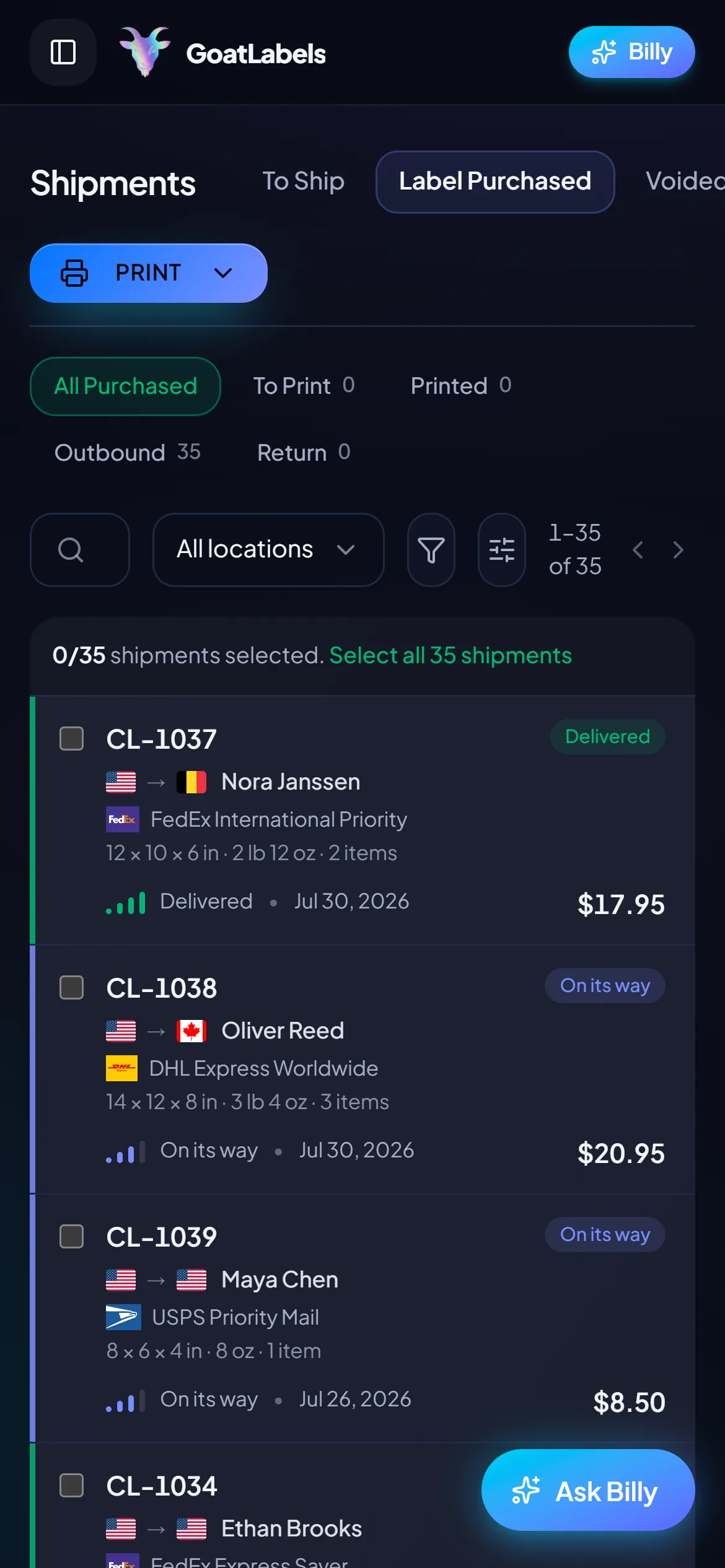
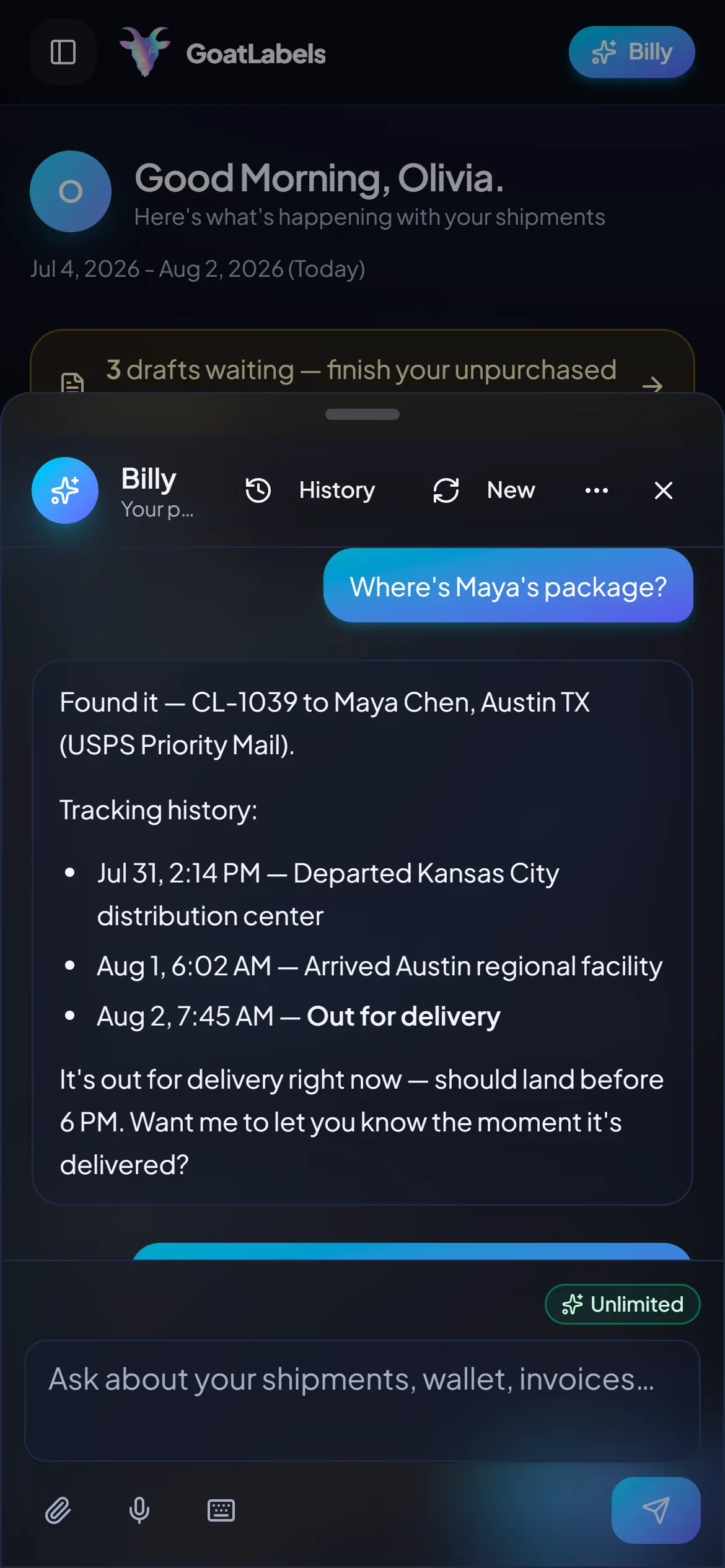
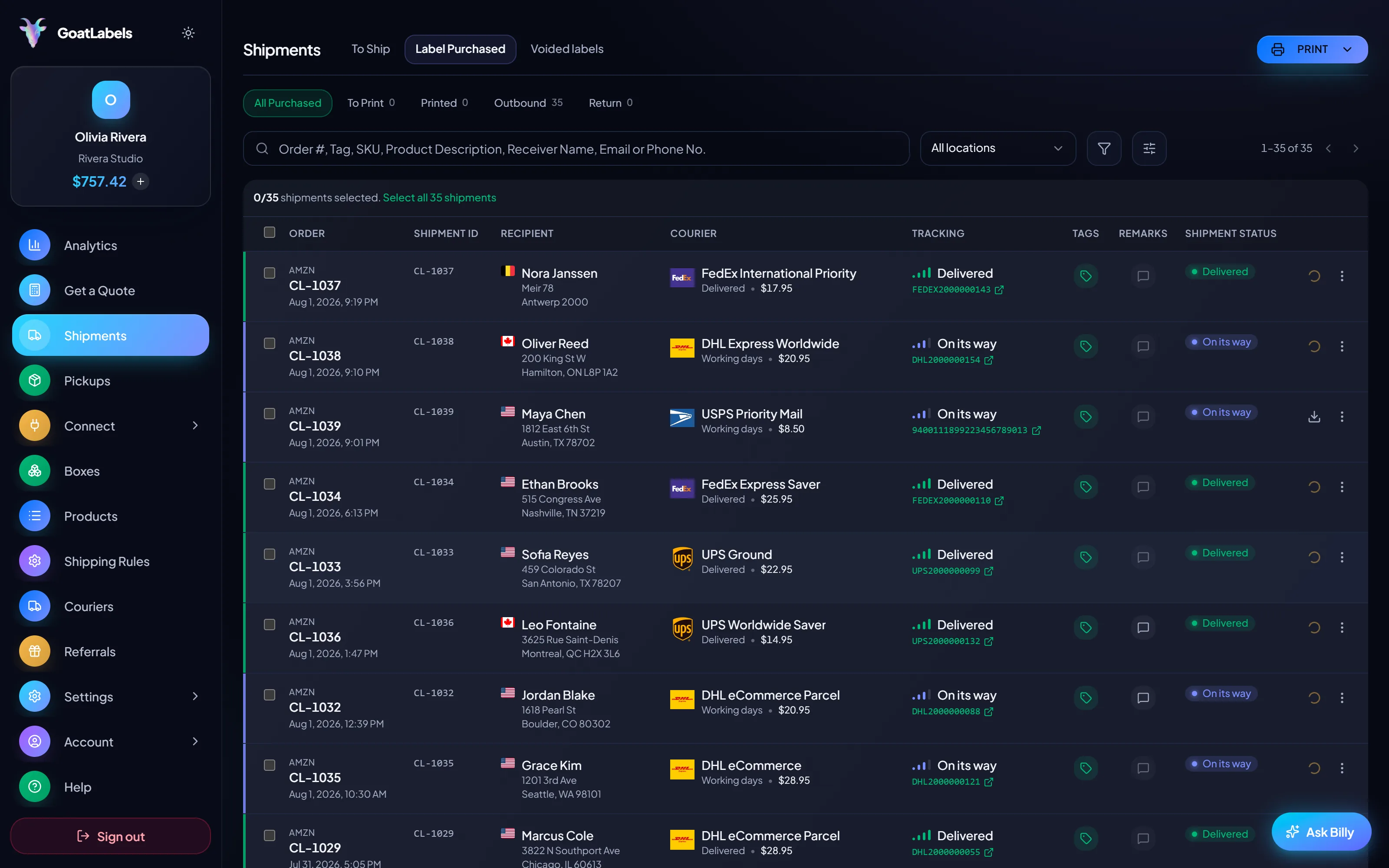
Packing prints is a two-handed job, and the question never waits for you to finish. Ask out loud which of the drop's rows are still unshipped, or where a buyer's tube got to, and Billy finds the shipment and reads it back. Included on every plan, so the shop that ships four orders in a slow month still has it. This is the real product, not a render.
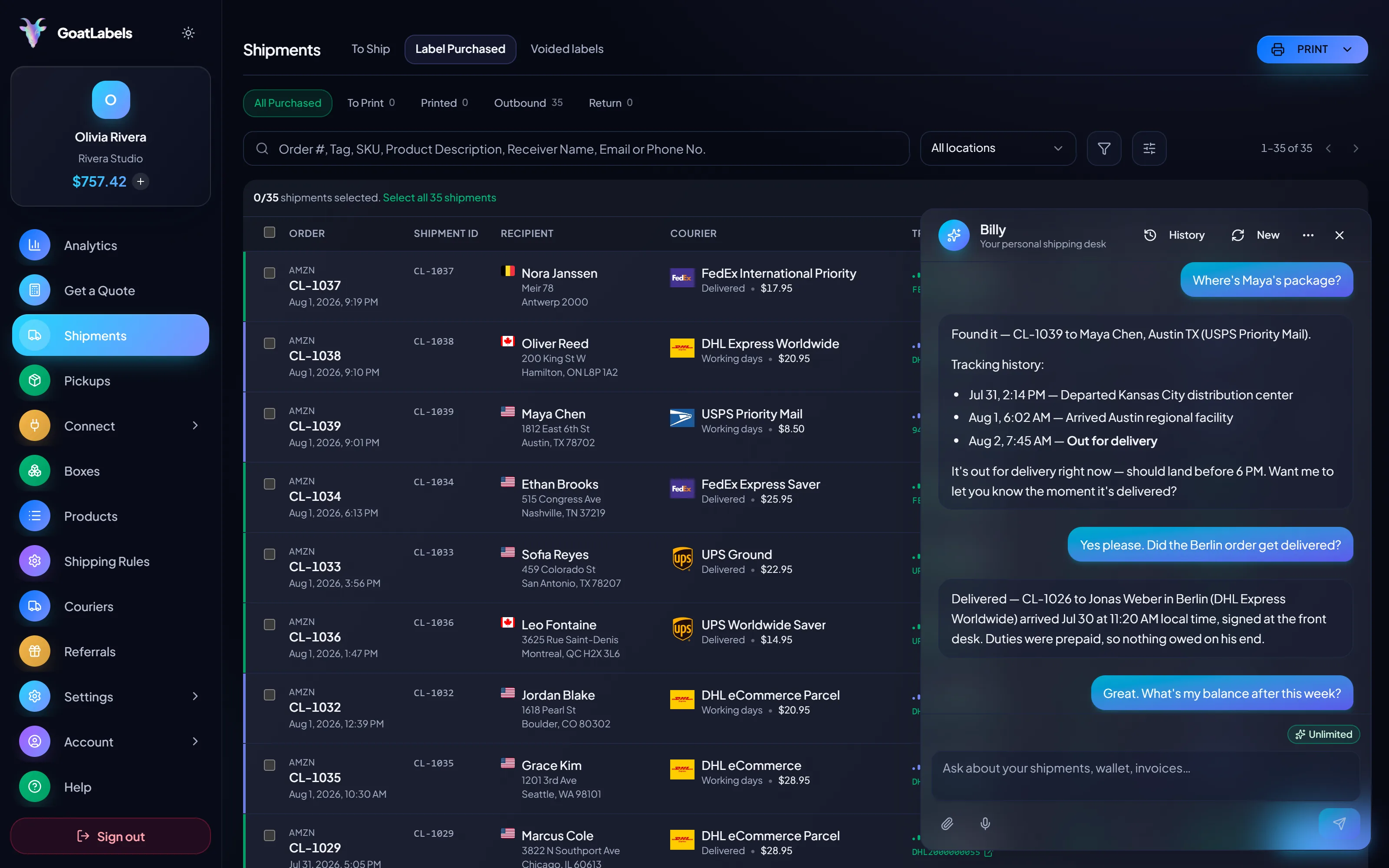
Listening
"Which drop orders haven't shipped yet?"
Out for delivery
Order #1183 · Portland, OR · scanned this morning
Speaks plain English · remembers your saved parcel presets between drops · included on every plan, never a paid tier.
A print, a tee, or a tape is a low-weight parcel, and low-weight parcels are exactly where three carriers hand back three different numbers for the same box. Every row of a drop is priced against all three, and the column you pick is the amount that leaves your prepaid balance. Figures are illustrative.
Ground Advantage
2–5 days$7.40
$1.20 of Premium insurance included
all-in · one balance for the whole drop
Ground
3–4 days$10.80
$1.20 of Premium insurance included
all-in · one balance for the whole drop
Home Delivery
2–4 days$11.40
$1.20 of Premium insurance included
all-in · one balance for the whole drop
Big Cartel handed you an order feed instead of a fulfillment suite, which means nothing is in the way the day you want the loop automated. REST, JSON, one Bearer header — and free on the plan a small shop is already on, because changing shipping tools later just to get an API is a migration nobody wants to do twice.
POST /api/v1/shipments
Authorization: Bearer sk_live_…
Idempotency-Key: ord_8421

{
  "to": { "name": "Joyce", "city": "Berlin", "country": "DE" },
  "parcel": { "weight": 2.6, "weight_unit": "lb" },
  "service": "fedex_intl_priority"
}
A Big Cartel shop's volume is spiky by design: forty orders the week of a release, four the month after, none in the quiet stretch. A monthly fee prices that shape badly, because the fee keeps running while the shop does not. Free covers a typical small shop outright, up to 50 shipments a month; a release that takes the month past 50 needs Pro ($40 a month, no minimum term).
 — check a drop's remaining rows without opening the laptop
Rate by plan
illustrativePro: one flat monthly plan, unlimited shipments
$0 / forever
Four orders a month, or forty in a drop — the plan that charges for neither.
The assistant that turns a pasted Big Cartel order email into a validated draft label runs on Free, unlimited, in the web app. Pro adds Billy on Telegram.
Telegram, ProGET /api/v1/shipments
200 OK · plan: free
Unlimited calls on Free — still unlimited on Pro.
Put a real parcel through and compare the side-by-side rate against what that label costs you on
ShippoPirate ShipShipStationLabel prices are quoted live from USPS, UPS, FedEx, and DHL as one all-in number, and that exact amount leaves the prepaid balance when the row is bought. Big Cartel's own platform pricing is Big Cartel's — this covers the labels only. Full pricing details
Big Cartel's sellers are makers first and shippers reluctantly. Four shapes of shop, one loop: paste or export, validate, quote the carriers, buy from one wallet.
 Flat, light, and drop-released
A print run sells out in an evening and becomes forty near-identical parcels. Export the orders, load the saved mapping, and let one saved parcel preset carry the weight and dimensions across every row; flat and light is also where carriers disagree most, so the quote does real work.
 Tees, totes, and hoodies
Merch weights cluster around a few known parcels, so saved presets price a drop in minutes. On Free the slow months between releases cost nothing, and Pro, needed for a release month past 50 shipments, has no minimum term, so you can cancel it while you wait.
Drop batch purchased
38 rows bought · 2 flagged addresses fixed first

 The commission that arrived as a DM
 Merch table, mail-order edition
0
owed in any month the shop prints nothing
Updated 2026-08-15
Related: AI shipping labels,bulk labels from a CSV,shipping labels for Etsy, andthe full pricing model.
A video took off and I had 80 TikTok Shop orders by morning. I printed every label from my phone on the bus to the post office.
Early customer · TikTok
TikTok Shop seller
TikTok ShopI run my Etsy shop from the kitchen. The AI reads the order, picks the carrier, the label prints. That's the whole workflow now.
Early customer · Etsy
Etsy maker
EtsyThe API is what every shipping API pretends to be. Idempotency that actually works.
Sasha R.
Staff engineer, marketplace
Paste the next order email or export the next drop, validate every address before paying, and buy the cheapest carrier from one prepaid wallet.
No contract. No card required. No monthly fee on Free (up to 50 shipments a month), so a quiet month costs your shop exactly nothing.
Updated