

USPS
Ground Advantage
2 to 5 days$11.40
all-in · no surprises
The GoatLabels shipping API is a REST label API that authenticates with one Bearer header and gets to a purchased label in a few calls, with USPS, UPS and FedEx rates side by side on domestic parcels and DHL on international lanes, labels pay-as-you-go from a prepaid wallet, unlimited API calls on every plan, and no monthly fee on Free for up to 50 shipments a month.
DHL joins on international lanes, all without your own carrier accounts.
Fund a prepaid wallet and the API spends it label by label, the same balance as the dashboard.
The GoatLabels shipping API is a REST label API that authenticates with one Bearer header and gets to a purchased label in a few calls, with unlimited API calls on every plan and no monthly fee on Free for up to 50 shipments a month. Create the shipment, compare USPS, UPS and FedEx rates (DHL on international lanes), buy the label, and auto-print it via PrintNode, all paid from a prepaid wallet. The table sets that against how shipping APIs are typically structured.
| GoatLabels | Typical shipping APIs | |
|---|---|---|
| Authentication | One Bearer header on every request. No request signing, no per-endpoint keys. | Varies: API keys, signed requests, or OAuth flows depending on the vendor. |
| Getting to a live label | Create the shipment, compare USPS, UPS and FedEx rates (DHL on international lanes), buy the label. REST and JSON throughout. | Comparable call sequences are common; some require a carrier account per carrier first. |
| What a call costs | Labels are pay-as-you-go from a prepaid wallet. API calls are unlimited on every plan; Free has no monthly fee for up to 50 shipments a month, and past that Pro is $40 a month flat. | Often a monthly platform fee, a per-label fee, or both — see the vendor's pricing page for current terms. |
| Carrier accounts | Not required. USPS, UPS and FedEx quote domestic US parcels and DHL quotes international lanes, without your own contracts; Singapore origins quote UPS, FedEx and local couriers. | Some APIs need you to connect your own carrier accounts before rates are returned. |
| API calls | Unlimited on every plan. Quoting, re-quoting, and tracking reads are not metered. | Often metered per call or per label, or packaged into usage tiers. |
| Testing | Live and test keys, and the test keys are usable in CI. | Sandbox access is common; its scope and limits vary by vendor. |
| Safe retries | Send an Idempotency-Key header and a retried purchase does not buy a second label. | Supported by some vendors, not all. |
| Webhooks | Signed and replayable, so a missed delivery can be sent again. | Webhooks are common; signing and replay vary. |
| Spec | OpenAPI 3.1 at /api/v1/openapi.json, with rate-limit headers on responses. | Published specs and client libraries vary by vendor. |
| Printing the result | Auto-print via PrintNode to a named printer, or render in the browser. | Usually a label URL or base64 blob you route to a printer yourself. |
| Non-API orders | The same wallet backs the dashboard, 13 storefront connectors, bulk CSV import, and the AI assistant, so ops can work orders your code never touched. | Dashboard tooling varies; some API-first vendors offer little beyond the endpoints. |
The right-hand column describes common patterns, not any one vendor. Auth schemes, fees, and carrier requirements change — check each vendor's current docs and pricing page before you decide.
Updated 2026-09-11
A shipping API should not need a signing library. Send a Bearer header, create the shipment, read back USPS, UPS and FedEx rates in one response (DHL on international lanes), and buy the one you want. The label comes back in the same round trip.
Labels are pay-as-you-go from a prepaid wallet with no monthly fee on Free (up to 50 shipments a month), so a side project, a staging environment, and a production integration all cost exactly what they print. Nothing is a tier you clear before the API answers.
The same wallet backs the dashboard, the 13 storefront connectors, bulk CSV import, auto-print via PrintNode, and the AI assistant. Orders your integration never sees can still be worked in the same To Ship queue.
Connect a Shopify, WooCommerce, Amazon, eBay, TikTok Shop, Etsy, Walmart, BigCommerce, Squarespace, Wix, Square, Magento, or Temu store and its orders land in the To Ship queue. Orders that arrive as a spreadsheet come in through bulk CSV import, where header aliasing maps whatever the sender called each column. Orders that arrive as a message or a screenshot go to the AI assistant, which drafts the label for you to confirm. Every label is rate-shopped across the carriers that serve it, paid from a prepaid wallet with no monthly fee on Free (up to 50 shipments a month), and auto-printed through PrintNode or the browser at the station that needs it (PrintNode on Pro).
Rush order: 3x cartons (12 lb) to Maya R., Austin, TX 78701 — needs to go today
13 connectors, bulk CSV with header aliasing, the REST API, and pasted orders — one To Ship queue.
 AI assistant
Auto-print via PrintNode or the browser (PrintNode on Pro). Tracking is pushed back to the connected store when the label prints.
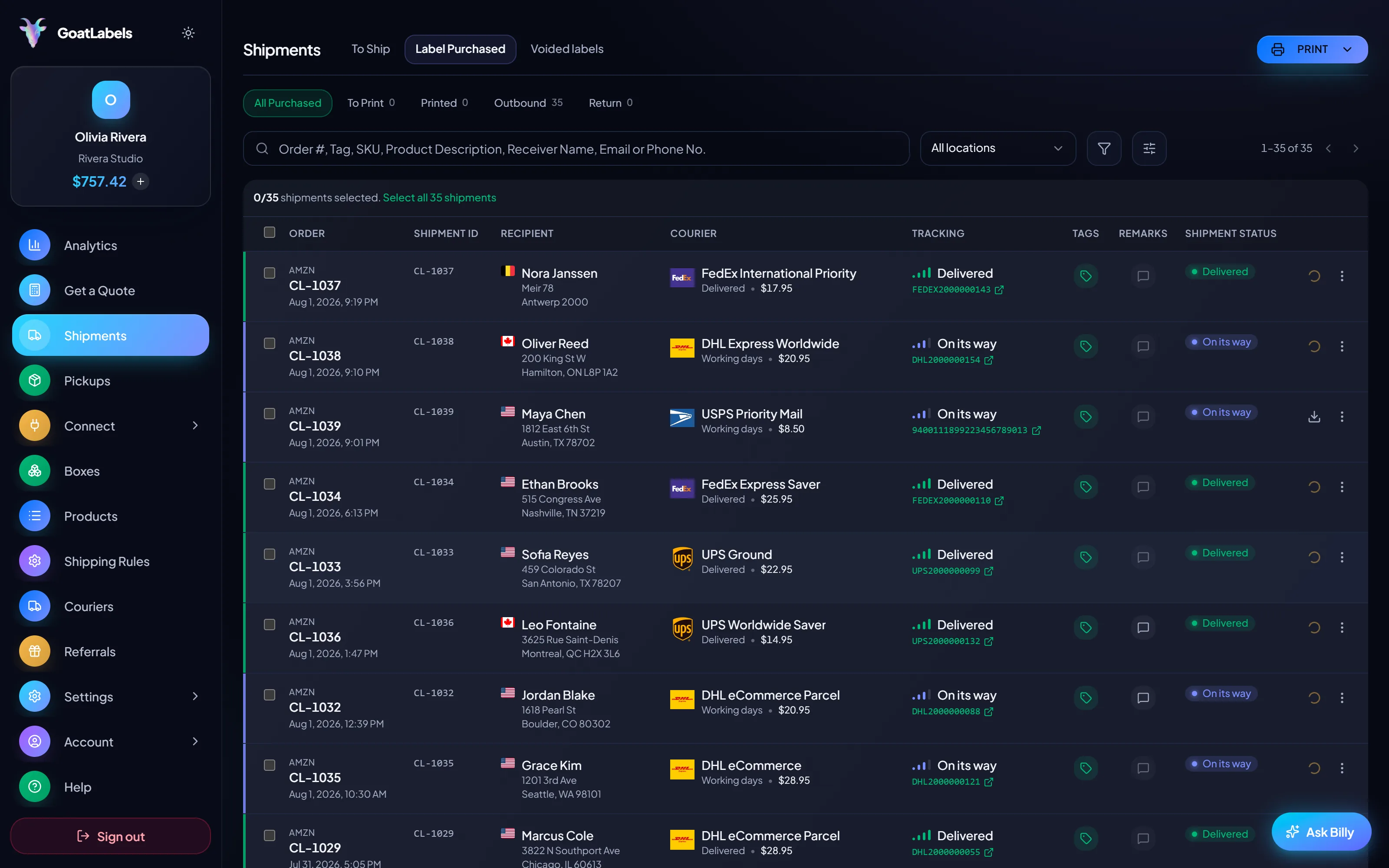
Shopify, WooCommerce, Amazon, eBay, TikTok Shop, Etsy, Walmart, BigCommerce, Squarespace, Wix, Square, Magento, and Temu sync into To Ship and get tracking pushed back when you print. Orders that never lived in a storefront — a spreadsheet from a client, a call from a WMS, a pasted email — go into the same queue by CSV import, the REST API, or the AI assistant.
 Shopify
 Etsy
Etsy
 WooCommerce
 TikTok Shop
 Amazon
 eBay
eBay
 Squarespace
 Wix
Wix
 Walmart
Shopify Plus
Soon
Walmart
Shopify Plus
Soon Square
 BigCommerce
 Magento
 Zapier
Soon
Zapier
Soon NetSuite
Soon
NetSuite
Soon Ecwid
Soon
Ecwid
Soon Temu
Temu
 Shein
Soon
Shein
Soon ChannelAdvisor
Soon
ChannelAdvisor
Soon SkuVault
Soon
SkuVault
Soon Zoho Inventory
Soon
Zoho Inventory
Soon Patreon
Moving a label engine should not cost you the carriers, the store sync, or the API. Those all come with you. What does not come with you is a monthly fee sized to your peak month — and what is new is an assistant that turns an unstructured order into a drafted label.
Fund the wallet and every label is a pay-as-you-go debit against it. There is no contract. Free covers 50 shipments a month at $0, and Pro is a flat $40 a month with unlimited shipments, so the balance you fund, plus Pro's one flat fee if you are on Pro, is all you reconcile.
An email from a client, a screenshot of a form, or a spoken address is not an order record. The AI assistant reads it and drafts the whole label — recipient, parcel, and service — for you to confirm.
Billy
LIVE

Fund the wallet and pay for each label as you go. Free covers 50 shipments a month with no monthly fee; past that, Pro is $40 a month flat with unlimited shipments and no minimum term, so you can cancel it when volume drops.
Live rates from USPS, UPS and FedEx side by side on every domestic parcel, with DHL on international lanes. That is the honest carrier list; if you need one outside it, a broader network is the reason to stay elsewhere. Thirteen storefront connectors sync into To Ship and push tracking back when you print, but a connector is never a prerequisite.
UPS
$12.48
 FedEx
$13.22
FedEx
$13.22
 DHL
$14.10
USPS
$11.79
DHL
$14.10
USPS
$11.79
REST and JSON with one Bearer header. Create the shipment, compare rates, buy the label, and auto-print it via PrintNode — the dashboard and the API spend the same prepaid balance.
Label ready
CL-1038 · Brooklyn, NY
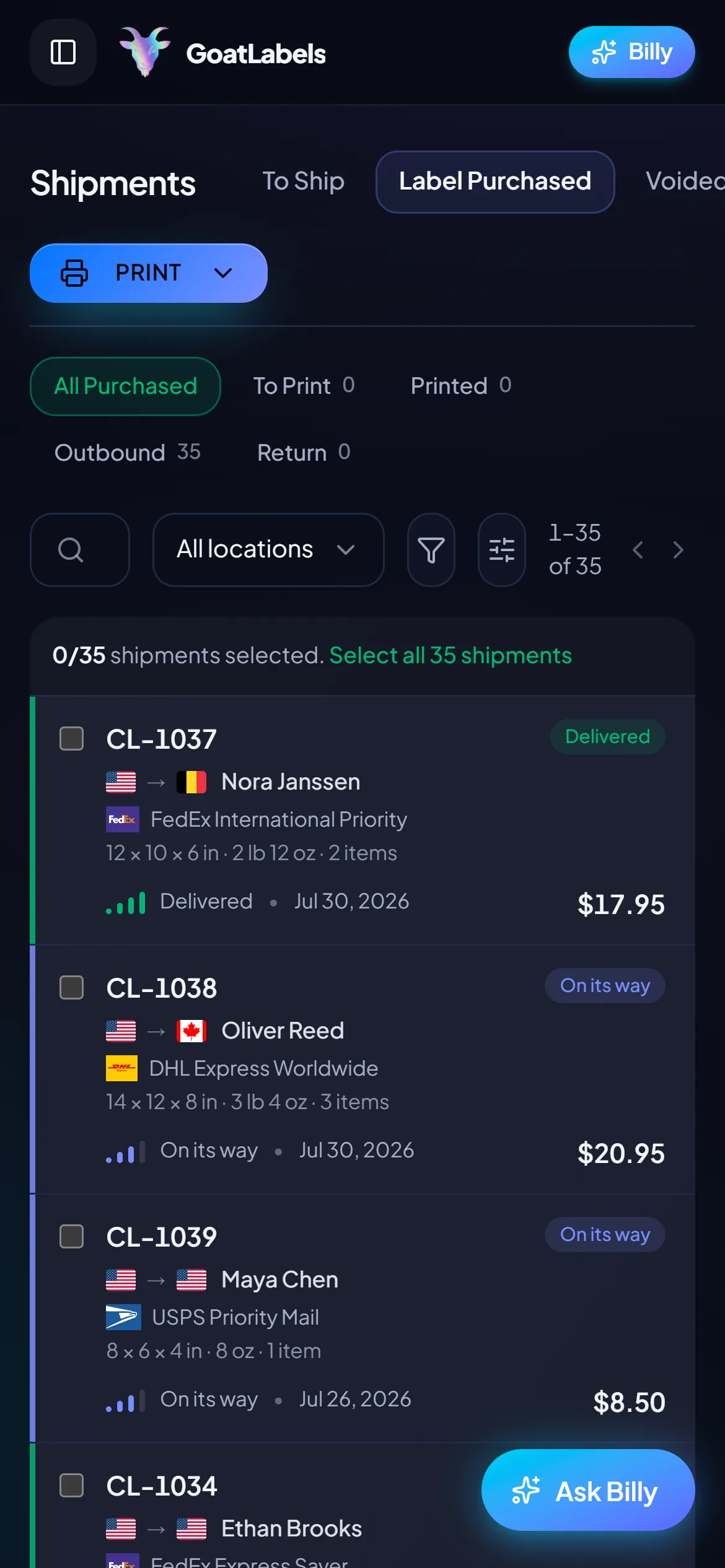
Subscription platforms expect the order to already exist somewhere they can read. When it arrives as a message, you become the integration — retyping a name, an address, and a weight into a laptop you are not sitting at. GoatLabels takes the message itself, on the phone that is already at the pack station.
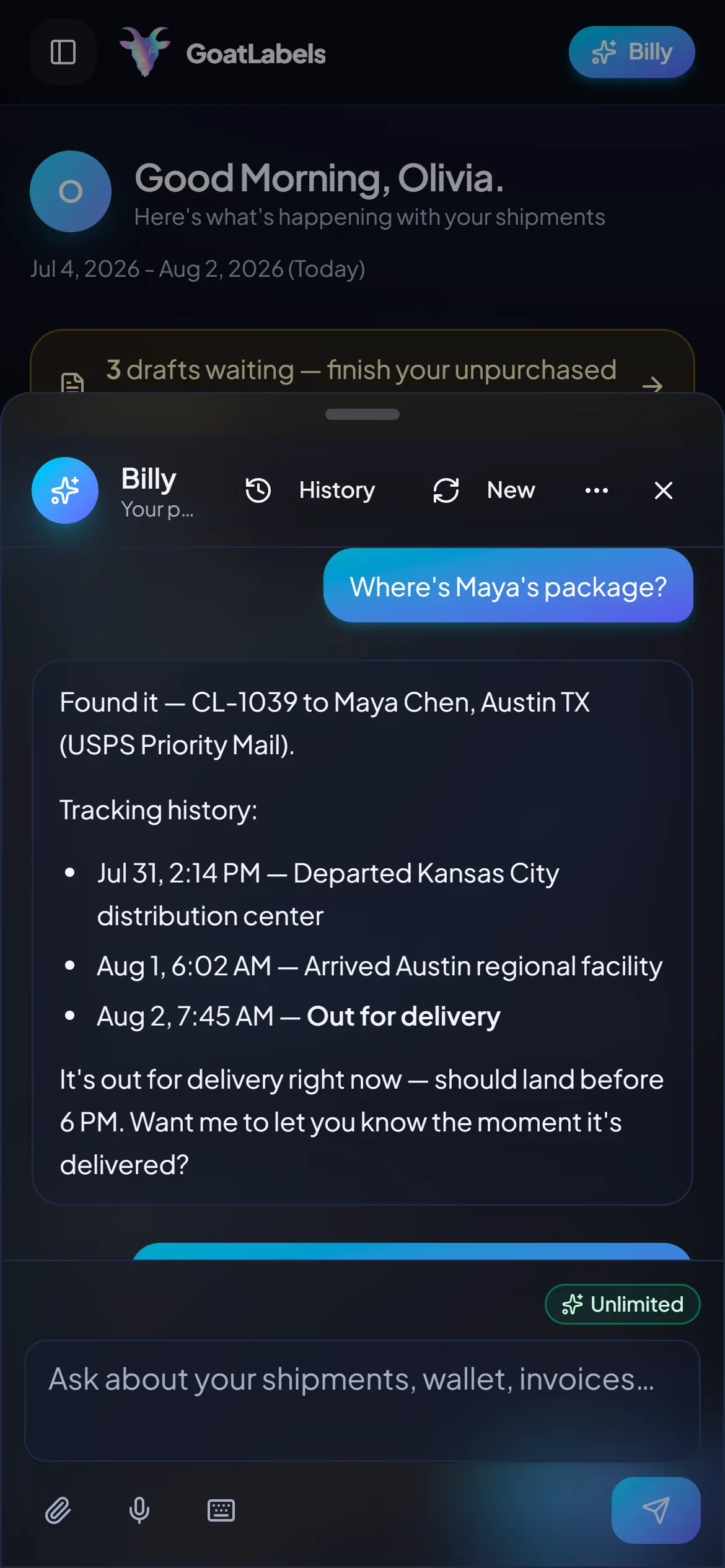
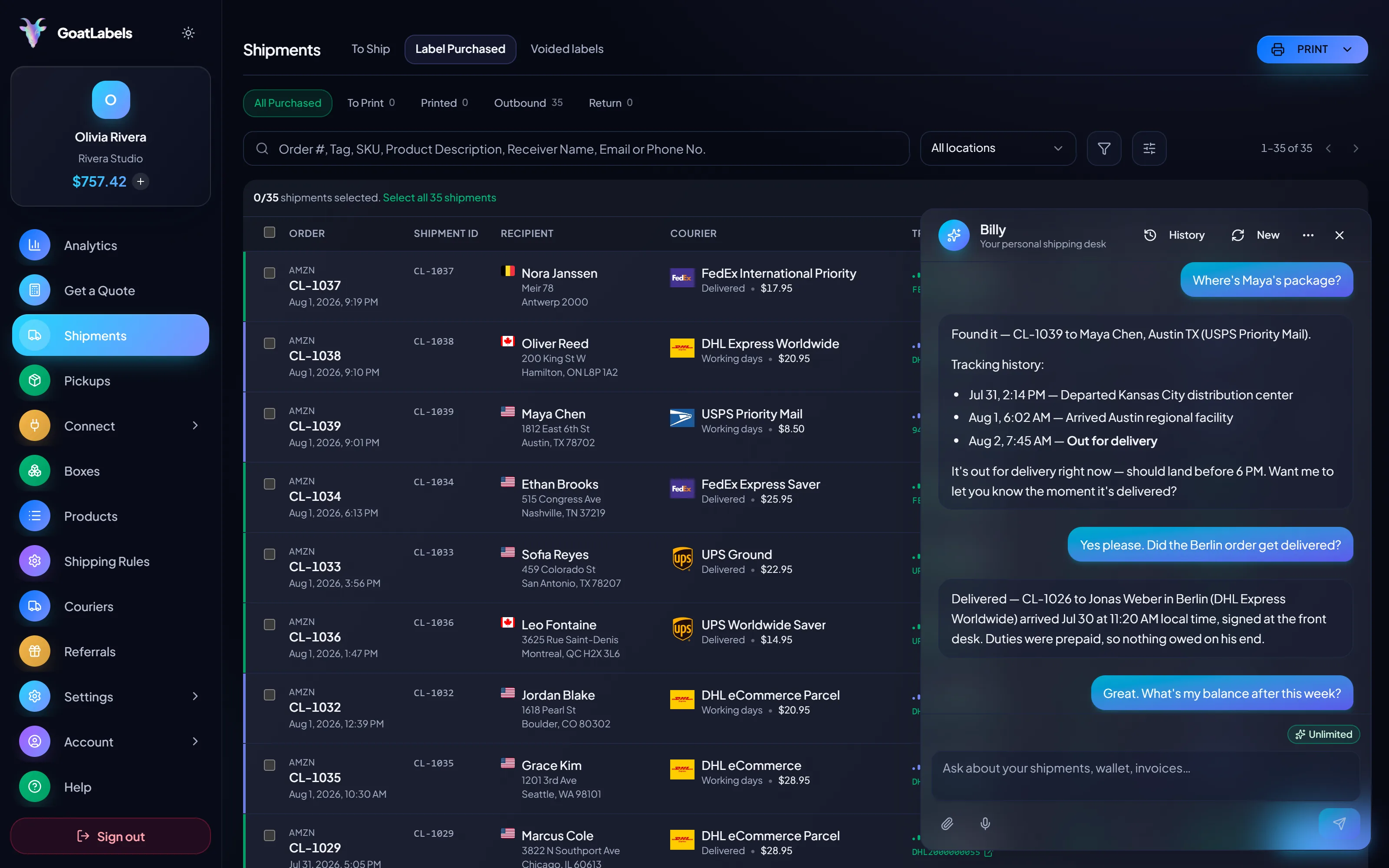
Packing is a two-hands job, and most software's answer is a form. Hold the mic, say who the parcel is going to, and the assistant drafts the label, rate-shops USPS, UPS and FedEx (DHL on international lanes), and queues it against your prepaid balance, then answers for it afterwards when a client asks where the parcel is. This is the real product, not a render.
Listening
"Where's the Austin rush order?"
Out for delivery
CL-1039 · Austin, TX · by 6 PM
Plain English in — names, addresses, weights, carriers, services · nothing to import and nothing to map · reads the rate back before a cent leaves the wallet · phone or browser.
Carriers quoted on the same parcel, each a number that is the exact amount leaving your prepaid balance. Nothing is added on the way through, and the only plan charge is Pro's flat $40 a month, which you need once you ship more than 50 a month.
Ground Advantage
2 to 5 days$11.40
all-in · no surprises
Ground
1 to 5 days$9.85
all-in · no surprises
Ground
1 to 5 days$11.20
all-in · no surprises
A warehouse system already knows the order, the bin, and the box. REST, JSON, and one Bearer header let it request the rate and the label directly, and auto-print via PrintNode puts the result at the station (PrintNode on Pro). The dashboard and the API buy from the same prepaid balance.
POST /api/v1/shipments
Authorization: Bearer sk_live_…
Idempotency-Key: ord_8421

{
  "to": { "name": "Joyce", "city": "Berlin", "country": "DE" },
  "parcel": { "weight": 2.6, "weight_unit": "lb" },
  "service": "fedex_intl_priority"
}
Labels are pay-as-you-go from a prepaid wallet, with no monthly fee on Free for up to 50 shipments a month and unlimited API calls; past that, Pro is one flat $40 monthly plan with unlimited shipments. The 13 connectors, bulk CSV import, the REST API, browser printing and the AI assistant come with both plans; PrintNode auto-print comes with Pro.
 — draft a label from a message, screenshot, or voice
Rate by plan
illustrativepay for labels, not for seats
$0 / forever
Up to 50 shipments a month with no subscription: enough to run the workflow on real orders before you need Pro.
The AI assistant that reads an email, a screenshot, or a voice note into a drafted label is part of the product, not an add-on.
Telegram, Pro
GET /api/v1/shipments
200 OK · plan: free
One Bearer header. The same wallet as the dashboard.
Put a real parcel through and compare the side-by-side rate against what that label costs you on
ShippoPirate ShipShipStation
Label prices are quoted live from USPS, UPS, FedEx, and DHL and shown as one number — the same number that leaves your wallet. Other vendors' plans and fees move, so compare against their current pricing page rather than a figure on ours. Full pricing details
These are the teams for whom pay-as-you-go labels, one queue, and a label API add up to a real difference. The operations that should stay put are named on this page too.
 Clients come and go monthly
Volume that arrives per client fits a prepaid wallet better than a seat count. Onboard a client, connect their store, and pay for their labels when they ship, plus Pro's flat $40 a month once your total passes 50 shipments a month.
 REST API, one Bearer header
Let the warehouse system request the rate and the label, and auto-print the result at the station through PrintNode. Nothing is retyped between the two.
One queue, connector or not
Order #1024 · created via API

 The orders that never became a record
13 connectors, one balance
1
wallet behind every store and the API
A video took off and I had 80 TikTok Shop orders by morning. I printed every label from my phone on the bus to the post office.
Early customer · TikTok
TikTok Shop seller
 TikTok Shop
I run my Etsy shop from the kitchen. The AI reads the order, picks the carrier, the label prints. That's the whole workflow now.
Early customer · Etsy
Etsy maker
 Etsy
Etsy
The API is what every shipping API pretends to be. Idempotency that actually works.
Sasha R.
Staff engineer, marketplace
Related reading: the API docs, shipping webhook recipes, the Shippo alternative for API developers, shipping software for 3PLs, the ShipEngine alternative, what a free shipping API includes, compare shipping APIs side by side, enterprise shipping software and APIs compared, B2B shipping software with an API on every plan.
Fund a prepaid wallet, put through the next order you would have shipped anyway, and compare the side-by-side USPS, UPS and FedEx rates (DHL on international lanes) against what that label costs you today.
No contract. No card required. No monthly fee on Free, up to 50 shipments a month.
Updated