

USPS
Ground Advantage
2 to 5 days$11.40
all-in · one wallet ledger, not four invoices
The dividing line is whose carrier relationships you use. XPS Ship advertises its own discounted USPS, UPS, and FedEx rates and sells a monthly add-on for connecting carrier accounts you hold. GoatLabels ships its own panel: USPS, UPS and FedEx rate-shopped on every domestic label, DHL on international lanes, paid from a prepaid wallet, with no carrier accounts to bring.
USPS, UPS and FedEx quoted on every domestic parcel and DHL on international lanes, all from the platform's own panel. The first quote works before any carrier knows your name.


 DHL: international
Card, Apple Pay, Google Pay, ACH, or crypto fund a single balance — every carrier's label debits the same ledger.
Updated
Checked on from XPS Ship's own pages. Plans, fees and policies change, so confirm on the vendor's current page before you decide. XPS Ship is a trademark of its owner and is not affiliated with GoatLabels.
Under a bring-your-own model the first week is spent on a second project — the carrier application, the account number, the credentials, the invoice that will need reconciling. The loop below has none of that in it. An order arrives, the address is validated, and the carriers that serve the lane price the parcel from the platform's own relationships, on the day the account exists. The comparison is the default state rather than something you assemble over a season.
just signed up — do I need a UPS account before I can price this box?
Every carrier in the quote is the platform's relationship, not yours. That is the single structural difference this page is about, and it is decided before the first label.
 Billy AI
The wallet ledger is the only invoice. One honest nuance: a carrier adjustment larger than the balance falls back to a card on file.
Thirteen store connectors, Shopify, Amazon, eBay, Etsy, TikTok Shop and more, sync into the To Ship queue and push tracking back when you print, and an Instagram or Facebook DM gets pasted in. Every one of those orders is priced against the same carriers, from the same panel, with no per-channel carrier setup and nothing of yours to connect on the carrier side at all.
 Shopify
 Etsy
Etsy WooCommerce
 TikTok Shop
 Amazon
 eBay
eBay Squarespace
 Wix
Wix WalmartShopify PlusSoon
 Square
 BigCommerce
 Magento
 ZapierSoon
 NetSuiteSoon
 EcwidSoon
 Temu
Temu SheinSoon
 ChannelAdvisorSoon
 SkuVaultSoon
 Zoho InventorySoon
 Patreon
XPS Ship reviews argue about features and price, and skate past the question that actually sorts sellers into the right tool: for each carrier you want in a quote, whose relationship with that carrier are you using? XPS Ship answers it two ways. Its own discounted rates, which it advertises for USPS, UPS, and FedEx, work the day you sign up, and its Free plan lists access to them. Paid plans can also connect carrier accounts you already hold, from a USPS NSA to a negotiated UPS contract, through a monthly add-on. The second model is the one with homework attached: you open the account, you hold the credentials, you connect it to XPS Ship, and the software prints against a relationship that belongs to you.
Neither model is wrong, but they are different products wearing one interface, and the difference decides your first week. A seller happy with XPS Ship's own rates gets them immediately. A seller who wants their own negotiated contracts in the comparison inherits a second project, the application, the account, and the invoice, plus the add-on fee. The matrix below states the split carrier by carrier.
| Carrier | On XPS Ship | On GoatLabels |
|---|---|---|
| USPS | Discounted rates of its own; a USPS NSA you hold connects like any carrier account you negotiated directly. | Included in every quote, no account of yours involved. |
| UPS | Discounted rates of its own, or your own UPS account through the paid carrier-account add-on on Growth and above. | Included in every quote, no account of yours involved. |
| FedEx | Discounted rates of its own, or your own FedEx account through the same add-on. | Included in every quote, no account of yours involved. |
| DHL | Labels and international rate shopping are supported; its headline discounts name USPS, UPS, and FedEx. | Quoted on international lanes, no account of yours involved. |
The split above follows XPS Ship's own pricing and discounted-rates pages, linked in the dated XPS Ship facts on this page. XPS Ship can repackage its plans and rates, so confirm the current arrangement, including which plans carry the own-account add-on, on its own site before deciding.
The phrase connect your carrier account compresses a lot of unpaid work into four words, so it is worth uncompressing. Opening a UPS or FedEx account means an application in the carrier's own portal, a new account number tied to your business details, and credentials that now live in your password manager and expire on the carrier's schedule. The discounts a fresh account starts with are entry-level, because carrier pricing is negotiated on volume you have already shipped — the good rates arrive after the history, which is backwards for anyone still building it.
Then the account persists. Rates renegotiate annually, invoices arrive on the carrier's cycle and must be reconciled against what the software told you at purchase, and every additional carrier multiplies the surface: two accounts is two portals, two invoice formats, two renegotiations. None of this is XPS Ship's fault — it is what the bring-your-own model necessarily is — but a seller comparing platforms should price the administration in, not just the label. The full argument between owned accounts and a shared panel is made once on this site, onthe EasyPost carrier-accounts page, and this page will not re-run it.
The GoatLabels answer to the access question is one sentence long: every carrier in the quote is our relationship, not yours. USPS, UPS and FedEx are priced side by side on every domestic parcel and DHL on international lanes, each as one all-in number, and the winning label is paid from a prepaid wallet you fund by card, Apple Pay, Google Pay, ACH, or crypto. There is no application between you and the second carrier, no credential to rotate, and no month-end reconciliation across portals — the wallet ledger is the only invoice, and a voided label credits back to it after the carrier accepts the void.
The practical difference shows on the parcels where carriers disagree. A dense box to a far zone, a light one to a nearby city, an express deadline, an international lane — which carrier wins genuinely moves, and a quote that only contains the carriers you got around to opening accounts with cannot show you the winner it is missing. Which cheap ground service wins at which weight and destination is its own reference, on cheapest ground shipping services; what makes any label cheap at all is oncheap shipping labels. Here the point is narrower: the comparison exists on day one, because nobody had to bring anything.
Everything below works identically on the first day and the thousandth, because none of it waits on a carrier approving you. The relationship overhead is the platform's job; yours is picking the winning number.
Card, Apple Pay, Google Pay, ACH, and crypto fund a single prepaid wallet, and every carrier's label debits it at the all-in price you saw before buying. No per-carrier invoices to reconcile — one honest nuance: a carrier adjustment larger than the balance falls back to a card on file.
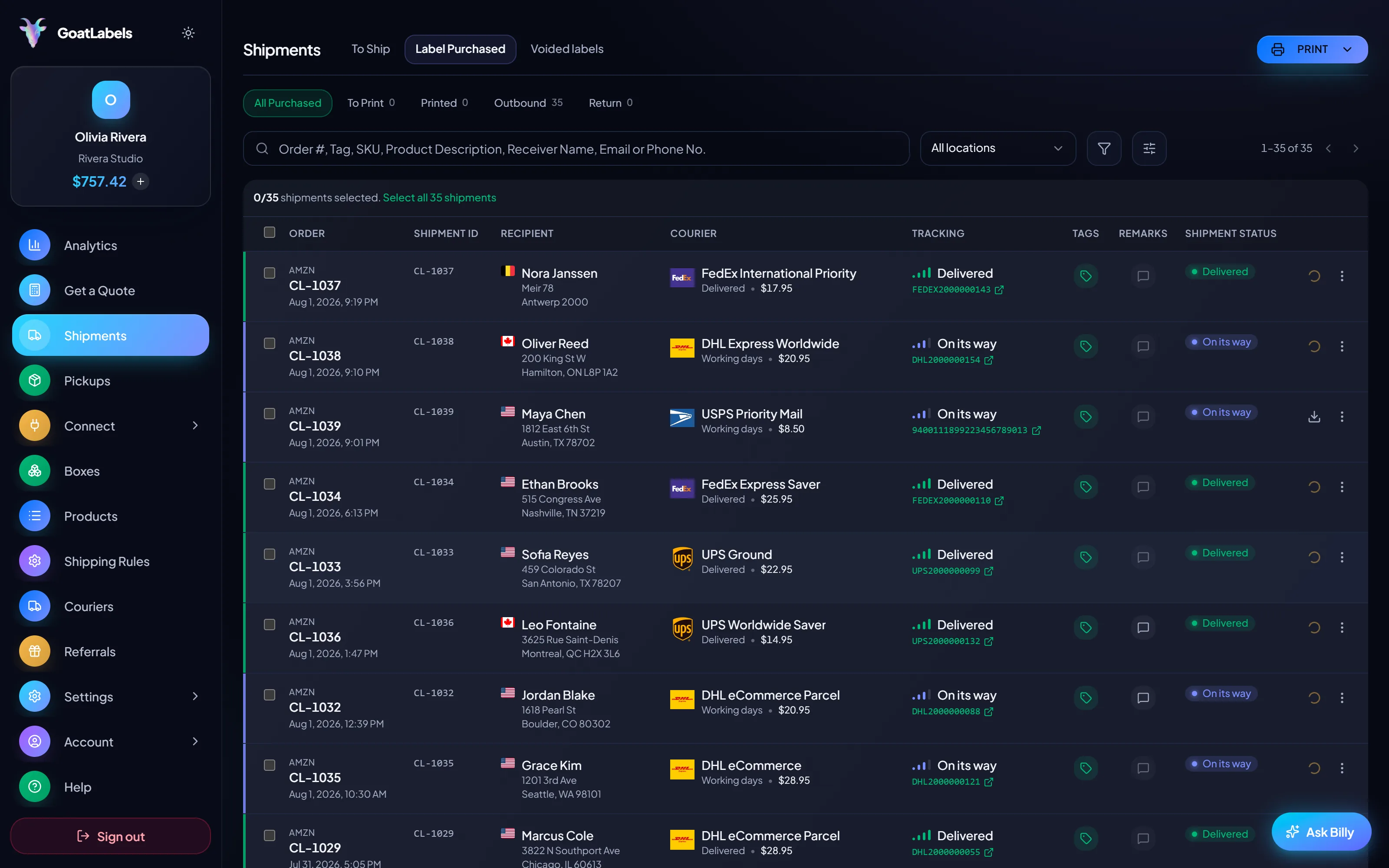
Paste the order text, drop a screenshot, or say the address out loud — Billy drafts addresses, parcel, and service for you to confirm. Desktop batch software assumes a desk; this assumes a packing table and a phone.
BillyLIVEFree covers 50 shipments a month at $0, with every carrier on it. Past 50, Pro is a flat $40 a month for unlimited shipments. Neither plan gates a carrier.
USPS, UPS and FedEx bid on every domestic parcel, and DHL on international lanes, from the moment the account exists. The carrier mix that took a season of applications to assemble under a bring-your-own model is simply the default state here.
UPS$12.48FedEx$13.22DHL$14.10USPS$11.79REST, JSON, signed webhooks, idempotency keys, unlimited calls on every account. Rate-shop and buy against every carrier on the lane in code, with no carrier credentials of yours anywhere in the integration.
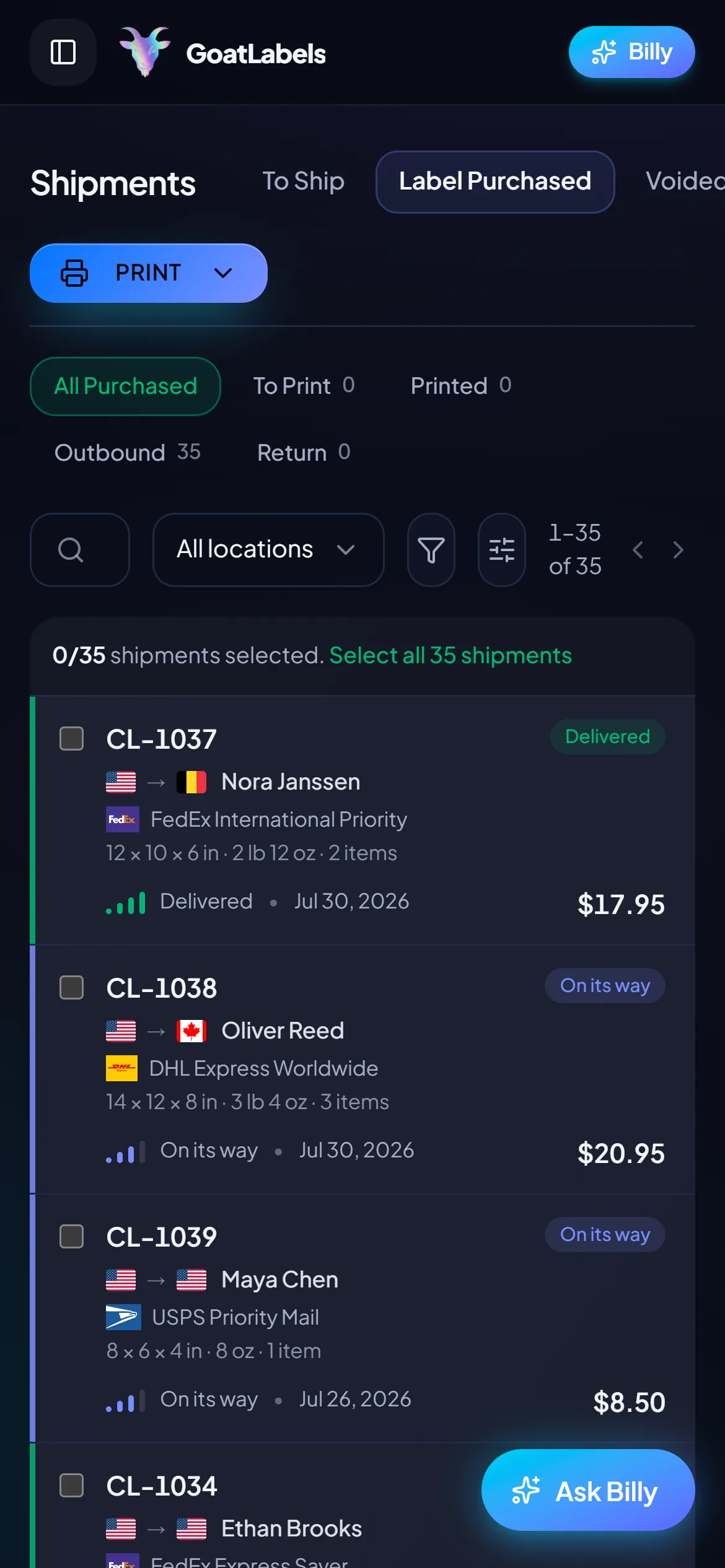
Quotes ready
No account of yours involved
The bring-your-own model tends to arrive with bring-your-own hardware too: a workstation, an installed client, and a seat at it. Everything here is the same on a phone at the packing table as it is in a browser, and it works on the first parcel because there were never any credentials to configure.
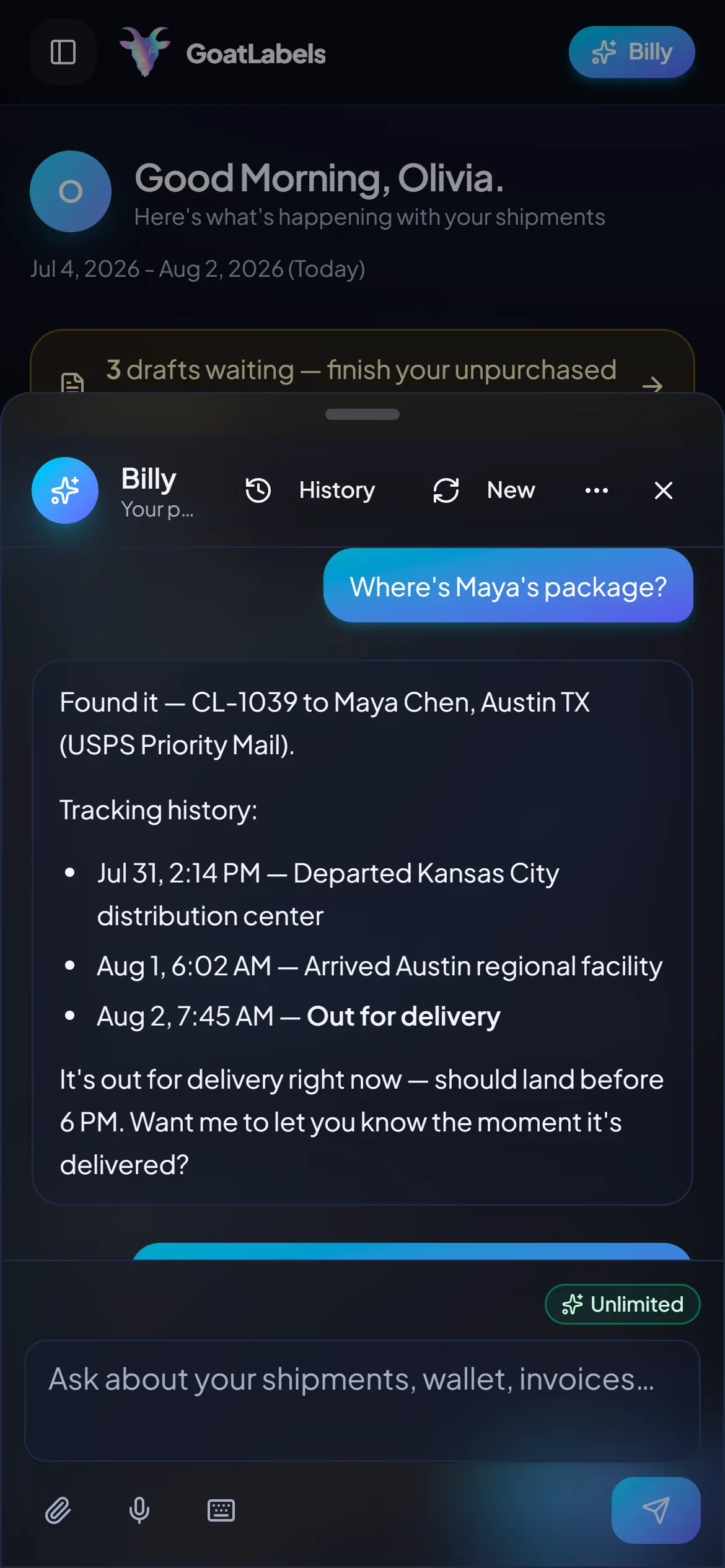
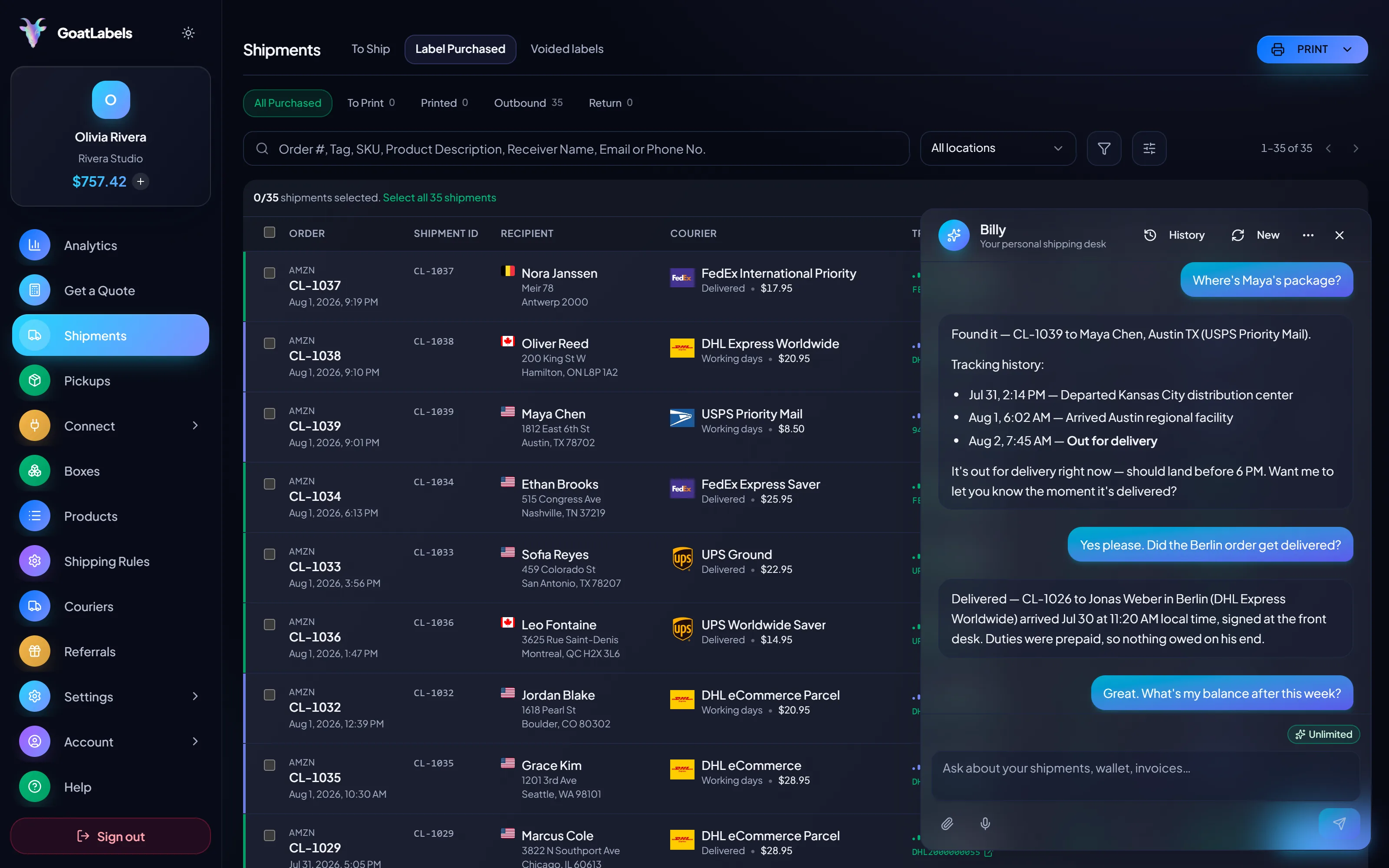
The administration a bring-your-own model asks for is not just the application — it is the portals, the credential rotations, and the invoice formats that follow it forever. None of that exists here, so the shortest path to a price is simply asking for one. Hold the mic, say where the parcel is going, and Billy quotes the box in your hands against every carrier that serves the lane and reads the all-in prices back. Included on every plan. This is the real product, not a render.
Listening
"What do the carriers want for this box to Austin?"
Quotes ready
Carriers quoted · no credentials involved
Speaks plain English · quotes every carrier on the lane as one all-in price each · no carrier account, portal, or credential anywhere in the loop · included on every plan.
This is what the access question looks like once it is settled: several carriers on the same parcel, each as one all-in number with its delivery window, and not one of them waiting on an application you filed. A quote that only contains the carriers you got around to opening accounts with cannot show you the winner it is missing. Figures are illustrative.
Ground Advantage
2 to 5 days$11.40
all-in · one wallet ledger, not four invoices
Ground
1 to 5 days$9.85
all-in · one wallet ledger, not four invoices
Ground
1 to 5 days$11.20
all-in · one wallet ledger, not four invoices
An integration built on bring-your-own carrier accounts inherits their whole lifecycle: credentials in your secret store, rotations on the carrier's schedule, and a re-auth every time an account changes hands. Here the integration holds one Bearer token of ours and nothing of any carrier's, so rate-shopping every carrier in code is a single key away.
POST /api/v1/shipments
Authorization: Bearer sk_live_…
Idempotency-Key: ord_8421

{
  "to": { "name": "Joyce", "city": "Berlin", "country": "DE" },
  "parcel": { "weight": 2.6, "weight_unit": "lb" },
  "service": "fedex_intl_priority"
}
Under a bring-your-own model the plan question and the access question get tangled together: which tier carries which bundled rate, and which carrier needs an account of yours on top. There is no version of that here: all four carriers are on every plan, including Free, and Pro lifts the 50-shipment cap.
 — draft a label without opening the dashboard
Rate by plan
illustrativePro: one flat monthly plan, unlimited shipments
$0 / forever
USPS, UPS and FedEx on the first domestic parcel you price, and nothing owed in a month you did not ship.
The assistant that reads a pasted order or a screenshot into a validated draft runs unlimited on Free in the web app, on desktop and on a phone at the bench. Pro adds Billy on Telegram.
Telegram, ProGET /api/v1/shipments
200 OK · plan: free
Unlimited calls on Free — still unlimited on Pro.
Put a real parcel through and compare the side-by-side rate against what that label costs you on
ShippoPirate ShipShipStationLabel prices are quoted live from USPS, UPS, FedEx, and DHL as one all-in number and that exact amount leaves your prepaid balance. XPS Ship is a trademark of its owner and is not affiliated with GoatLabels; its plans, bundled rates, and carrier arrangements are its own to set and change, and the dated XPS Ship facts above record what was checked rather than what is current. Full pricing details
Neither model is wrong — they are different products. These are the four shapes of seller where the answer to whose relationship am I printing against decides which one you should be on.
 The parcels where carriers disagree
A dense box to a far zone, a light one to a nearby city, an express deadline — the winner genuinely moves. Under bring-your-own, the second carrier in that comparison is a project. Here it is already in the quote.
 The rates arrive after the volume
A fresh carrier account starts on entry-level pricing, because carrier discounts are negotiated on volume you have already shipped. That is backwards for anyone still building it — and it is exactly the gap a shared panel exists to cover.
Nothing to apply for
The first quote works before any carrier knows your name

 A workstation workflow assumes a desk

 Negotiated contracts worth printing against
0
reason to switch — if your own rates beat a shared panel, bring-your-own is the right architecture and the who-stays section below says so plainly
A comparison page that cannot name its own losing cases is an ad. The bring-your-own model is not a defect — it is the right architecture for sellers whose carrier relationships are an asset rather than an errand, and XPS Ship serves that seller well. Concretely, stay if any of these describe you:
If none of them do — if the accounts would be opened solely to make the software useful — then the panel model exists precisely so you never open them. What that costs is on thepricing page.
Related reading: shipping without carrier accounts,the cheapest ground services compared, andcheap shipping labels.
A video took off and I had 80 TikTok Shop orders by morning. I printed every label from my phone on the bus to the post office.
Early customer · TikTok
TikTok Shop seller
TikTok ShopI run my Etsy shop from the kitchen. The AI reads the order, picks the carrier, the label prints. That's the whole workflow now.
Early customer · Etsy
Etsy maker
EtsyThe API is what every shipping API pretends to be. Idempotency that actually works.
Sasha R.
Staff engineer, marketplace
Fund a wallet with card, Apple Pay, Google Pay, ACH, or crypto, and put your next parcel in front of every carrier that serves its lane at once, with no account of yours required for any of them.
No card required. No monthly fee on Free, up to 50 shipments a month. No contract.
Updated